
 Buy on Unity Asset Store
Studio Lighting
Build key, fill, rim, and custom rigs around a point of interest with live gizmos and arrangement controls.

Rig Mood Ship
Light Lab PRO is a lighting and environment look tool: studio lighting, atmosphere presets, skies and clouds, volumetrics, reactive FX, PRO Cookies, animation, a day/night cycle, and LLP Lens Flares — in one editor workflow.

select lights → choose module → shape the mood
Why Light Lab PRO
Instead of jumping between scattered Unity panels and custom scripts, Light Lab PRO gives lighting and environment decisions a single place to live. Build rigs, set sky and atmosphere looks, reuse presets, animate light behavior, and keep art direction consistent.
Features
Build key, fill, rim, and custom rigs around a point of interest with live gizmos and arrangement controls.
Save complete light and atmosphere looks as reusable assets so scenes stay consistent and easy to iterate.
Shape intensity, range, color, strobe behavior, sound reaction, sequencing, and materials.
Raymarch and froxel fog, directional shafts, sky cloud god rays, and local fog regions from one tab.
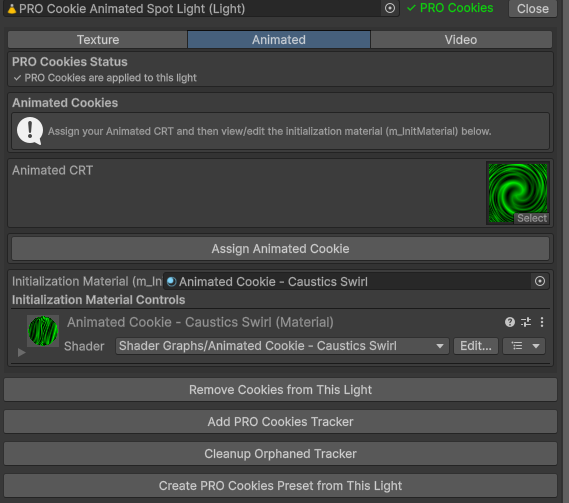
Use texture, animated shader, and video cookies for gobos, caustics, firelight, TV spill, and projected motion.
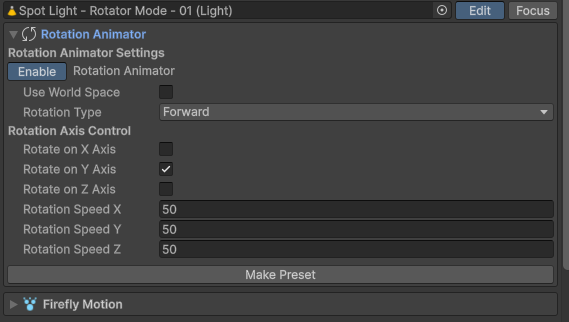
Add rotator sweeps or organic firefly movement without wiring up custom motion tools from scratch.
Clear, Stylized, HQ, or Volumetric Clouds sky, plus Moon Manager, Lightmap Blending, and Cycle Manager.
Visual-only flare stacks on any Light — photographic and stylized shapes, profiles, occlusion, and axis arrays. Not a window tab.
Looks
Shot in Unity. Physically based sky and volumetric clouds ship inside Light Lab PRO — no extra Asset Store sky package.



Documentation
The docs include searchable module references, screenshots, troubleshooting, and a rounded video walkthrough.